


Usually, a database is used only by the website on the same hosting account. Sometimes you need something else to reach it. A desktop tool, a mobile app, or a website hosted somewhere else may need to connect over the internet. cPanel’s Remote MySQL tool lets you allow that connection.
Opening a database to outside connections adds risk, so only allow the hosts you trust.
Step 1: Open Remote MySQL
- Log in to cPanel.
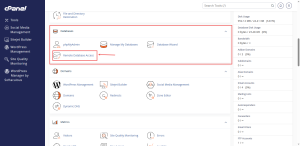
- In the Databases group, click Remote MySQL.
Step 2: Add an Access Host
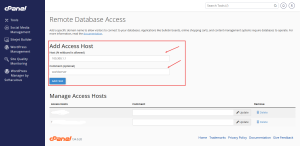
- In the Add Access Hosts section, type the address that is allowed to connect. This can be an IP address or a domain name.
- Click Add Host.
- Add a short comment so you remember why the host was added.
A host address with a percent sign, called a wildcard, allows any address to connect. Avoid this unless you have a specific reason, because it opens the database to the whole internet.
Step 3: Check the Connection Details
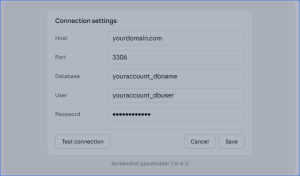
Your connection needs four details: the server host, the database name, the database user, and the password. The port is usually 3306. The database name and user include your account name at the front, the same way they did in the earlier guides.
Step 4: Connect and Test
Enter the details in your database tool and test the connection. If it fails, check the host address first. If your IP address has changed, the old entry will no longer work, and you will need to add the new address.
Remove Hosts You No Longer Need
Remote access should be temporary whenever possible. Once a connection is no longer needed, return to Remote MySQL and remove its host from the list.
Need a server with room for connections like this? Compare HoganHost’s VPS hosting options for projects that need more control.