A missed domain renewal is one of the most stressful and most avoidable disruptions a business can face online. Your website goes dark, your email stops working, and suddenly you are racing against a clock you did not even know was running. Here is how to avoid this entirely, and what to do if it has already happened.
Understand What Actually Happens After A Domain Expires
Domains do not disappear the instant they expire. Registries follow a standard sequence of stages, though the exact timing can vary slightly by registrar and extension.
- Grace period, typically up to around 30 to 45 days after expiration, where you can still renew at the normal, standard price with no penalty
- Redemption period, typically an additional 30 days after the grace period ends, where the domain is locked and recovering it requires paying a significantly higher redemption fee, often well beyond the normal renewal cost.
- Pending delete, a short final window of about five days where the domain cannot be recovered by the original owner at all
- Public availability, after which anyone, including a competitor or a domain speculator, can register the name fresh
This entire process typically takes around 65 to 70 days from the original expiration date before a domain becomes available to the public, but the cost and difficulty of recovering it increases sharply at each stage, so acting during the grace period rather than waiting is what actually matters.
Step 1: Enable Auto-Renewal On Every Domain You Own
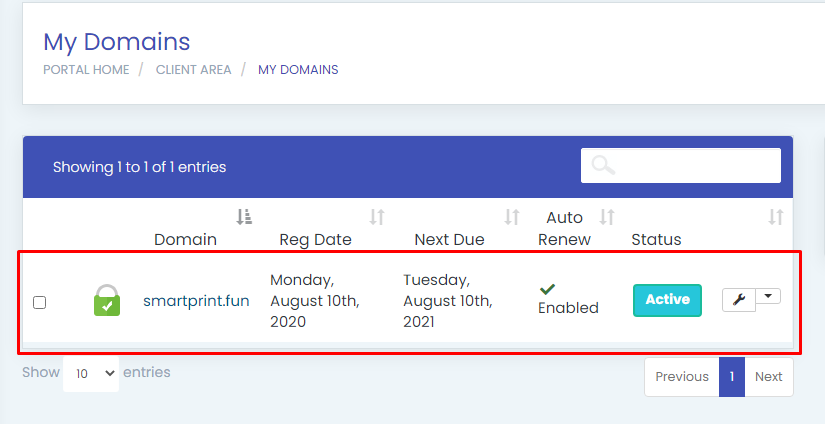
This single setting eliminates the vast majority of accidental expirations. With auto-renewal enabled, your registrar automatically charges your saved payment method and extends your domain before it ever reaches its expiration date, removing the risk of a forgotten manual renewal entirely.
Step 2: Keep Your Payment Method Current
Auto-renewal only works if the payment method behind it is actually valid. An expired card is one of the most common reasons an auto-renewal quietly fails despite being technically enabled. Review and update your saved payment details periodically, particularly if your card has recently expired or been reissued.
Step 3: Keep Your Contact Email Current And Actively Checked
Registrars are required to send multiple renewal notices before a domain expires. If your registered contact email is outdated, inactive, or buried under spam filtering, these warnings never actually reach you. Confirm your contact email in your registrar account is one you genuinely check regularly, and whitelist your registrar’s sender address to avoid renewal notices landing in spam.
Step 4: Register For Multiple Years Where Your Budget Allows
Registering your domain for two, three, or more years at once reduces how often you need to think about renewal at all, directly lowering the number of opportunities for a missed renewal to occur. This also often comes with a modest per-year cost saving compared to renewing annually every single time.
Step 5: Set A Personal Backup Reminder Regardless
Even with auto-renewal enabled, set your own independent calendar reminder a month or two ahead of your domain’s expiration date as a backup layer. Systems occasionally fail, whether due to a payment issue, an account problem, or a registrar-side error, and a personal reminder catches this before it becomes a genuine crisis.
Step 6: Act Immediately If You Discover A Missed Renewal
If you realize your domain has already expired, time matters enormously. Log in to your registrar immediately and renew during the grace period, while the cost remains the standard renewal price. Waiting even a few weeks longer pushes you into the redemption period, where recovery costs significantly more, sometimes well over ten times the normal annual renewal fee.
Step 7: Know That Your Website And Email Stop Working Immediately Upon Expiration
Unlike some warnings that give you visible advance notice, an expired domain typically stops resolving immediately, meaning your website goes offline, and your email stops receiving messages right at expiration, even while you are still technically within the grace period to renew. This is exactly why catching it during the grace period, rather than assuming a working website means everything is fine, matters so much.
Step 8: Consider Domain Monitoring For Especially Important Names
If a specific domain is critical to your business, some registrars or third-party services offer monitoring that alerts you immediately if that domain’s status changes, adding an extra layer of protection beyond your own renewal reminders and auto-renewal settings.
Common Mistakes That Lead To Missed Renewals
- Never enabling auto-renewal, relying entirely on remembering a manual renewal date.
- Letting a saved payment card expire without updating it, silently breaking auto-renewal without any obvious warning.
- Using an outdated or rarely checked contact email, missing renewal notices entirely.
- Waiting past the grace period to act, turning an inexpensive standard renewal into a costly redemption fee.
Avoiding a lapsed domain comes down to a few simple, one-time setup steps: enable auto-renewal, keep your payment and contact details current, and maintain a personal backup reminder regardless. Together, these make an accidental expiration genuinely rare.
Want a registrar that helps you stay ahead of renewals with clear reminders and reliable auto-renewal? Manage your domains with HoganHost and never lose a domain to a missed renewal again.