


Many websites store their content in a database. A database is an organized collection of information, such as blog posts, product listings, and customer orders. MySQL is the database system most cPanel accounts use. Your site reads from it and writes to it every time a page loads.
Creating a database takes three parts: the database itself, a user who can access it, and the permissions that link the two. This guide walks you through each part.
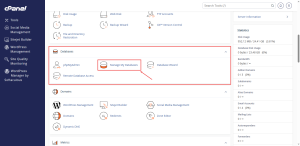
Open MySQL Databases
- Log in to cPanel.
- In the Databases group, click MySQL Databases.
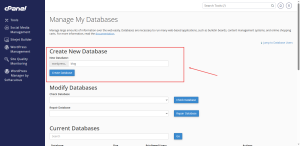
Create a Database
- Find the Create New Database section.
- Type a short name for the database, such as shop or blog.
- Click Create Database.
cPanel adds your account name to the front of the database name, so the final name looks like youraccount_shop. Write the full name down, since your site’s settings need it.
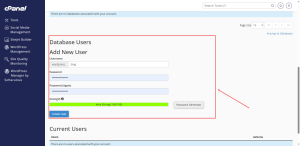
Create a Database User
A user is the login your website uses to reach the database. Keep it separate from your cPanel login.
- Scroll to the MySQL Users section.
- In Add New User, type a username. cPanel adds a prefix to it, just as it does for the database name.
- Enter a strong password, or use the password generator.
- Click Create User.
Store the username and password somewhere safe. Your site’s configuration file will need them.
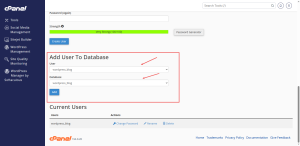
Link the User to the Database
- In the Add User To Database section, select the user from the first drop-down menu.
- Select the database from the second drop-down menu.
- Click Add.
- On the next screen, tick ALL PRIVILEGES, then click Make Changes.
Giving a user only the permissions it needs is safer, but for most websites ALL PRIVILEGES is the standard choice.
Manage Existing Databases
The list at the bottom of the page shows every database and user on your account. Use Delete to remove a database you no longer need. Deleting a database removes its data for good, so back it up first.
Need a plan with room for more databases? Compare HoganHost’s cPanel shared hosting plans to find the right fit for your site.