


Once you have added domains, subdomains, and redirects, the Domains area is where you manage all of them. This quick tour shows you what each part does, so you can find things faster next time.
A few terms first. A document root is the folder where a site’s files live. A redirect sends visitors from one address to another. Force HTTPS is a setting that sends visitors to the secure version of your site.
Step 1: Open the Domains Page
- Log in to cPanel.
- In the Domains group, click Domains.
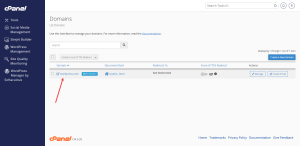
Step 2: Read the Domain List
Each row in the list is a domain or subdomain on your account. Your primary domain is the one you signed up with. Addon domains and subdomains appear beneath it.
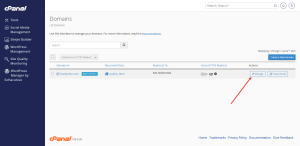
Step 3: Open the Manage Options
Click Manage on any row to see the options for that domain. From here, you can change its redirects, check its document root, or remove the domain entirely.
Step 4: Turn On Force HTTPS
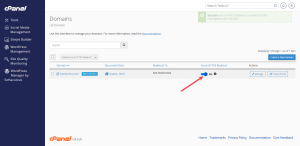
Once a domain shows a green padlock, you can turn on Force HTTPS redirect. This sends every visitor to the secure version, including visitors who type the old, unsecured address.
Look for the Force HTTPS Redirect option in the Domains area. Turn it on only after the padlock is working, so visitors do not hit a page that fails to load.
Step 5: Know Where Other Settings Live
Some related settings sit in other groups. DNS records are in the Zone Editor, in the Domains group. SSL certificates are in SSL/TLS Status, in the Security group. Redirects are in the Redirects tool, also in the Domains group.
Knowing where each setting lives saves a lot of searching. If you still cannot find something, use the search bar at the top of the page.
Ready to manage your domains on a real account? Start with a cPanel shared hosting plan from HoganHost. Still need a domain name? Visit HoganHost domain registration.