

Your website is really a collection of files. There are pages, images, scripts, and settings, all stored in folders on your hosting account. File Manager is cPanel’s built-in file browser. It lets you see, upload, edit, and organize those files without installing any extra software.
The most important folder is public_html. Anything inside it can be seen by visitors to your site. Files stored outside it stay private.
Open File Manager
- Log in to cPanel.
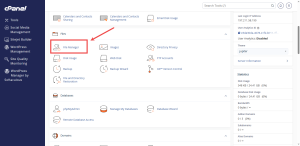
- In the Files group, click File Manager.
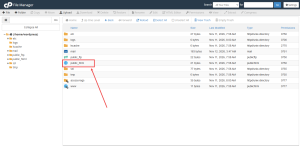
- Double-click public_html to open your website’s main folder.
Upload a File
- Open the folder where the file belongs.
- Click Upload in the top toolbar.
- Choose the file, or drag it into the upload box. Wait for the upload to finish before you close the window.
Extract a ZIP File
Uploading one ZIP file is faster than uploading hundreds of small files. Upload the ZIP, right-click it in File Manager, and choose Extract. Pick the folder you want the files to land in, then confirm.
Edit a File Safely
Right-click a file and choose Edit or Code Editor to change it. Before you edit anything important, make a copy of the file. If the change breaks the site, you can put the copy back.
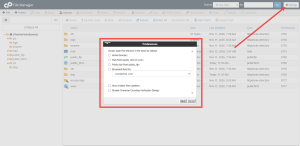
Some files are hidden by default, including settings files such as .htaccess. To see them, open the Settings option in File Manager and tick the box that shows hidden files.
Keep Your Folders Tidy
Give folders clear names so you can find them later. Before you delete anything, check that nothing on your site depends on it. Deleted files in File Manager are usually not recoverable, so back up first.
Need room for more files? A cPanel shared hosting plan from HoganHost gives you a full account for managing your site’s files from one place.