A domain transfer gone wrong does not just interrupt a website. It can silently cut off business emails for days, meaning customer inquiries, invoices, and important messages vanish without anyone realizing until a client complains about no reply.
The good news is that a domain transfer, done correctly, does not have to touch your email at all. Here is how to move a domain to a new registrar while keeping every existing email account running without interruption.
Understand What a Domain Transfer Actually Changes
A domain transfer moves who manages the domain’s registration, essentially changing which company you renew and administer the domain through. It does not automatically move your website or your email, since those depend on where your domain’s nameservers point, not who manages the registration itself.
This distinction matters because it means email continuity is entirely possible during a transfer, as long as the nameservers are handled correctly.
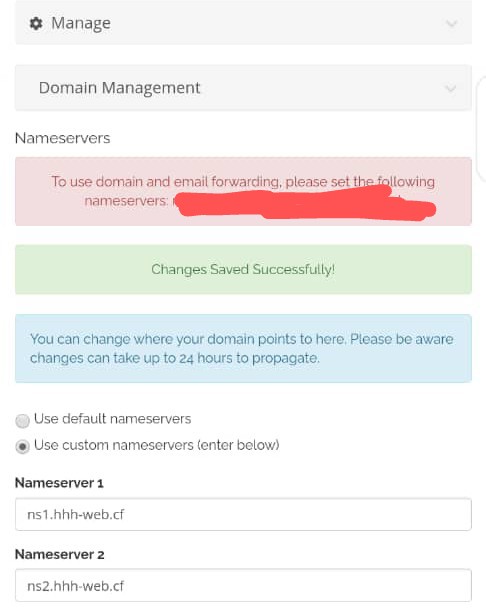
The Key Rule: Do Not Change Your Nameservers During Transfer
If your domain’s nameservers remain pointed at wherever your email and website are currently hosted, both will continue working normally throughout the transfer process, regardless of which registrar now manages the domain itself.
The mistake that causes email outages is changing nameservers at the same time as initiating the transfer. Doing both simultaneously creates a situation where DNS records temporarily are not resolving correctly, which can interrupt mail delivery for hours or days while everything re-propagates.
Steps to Transfer Safely
- Confirm your current nameservers before starting anything. Write them down or take a screenshot, since you will need to keep these unchanged during the transfer.
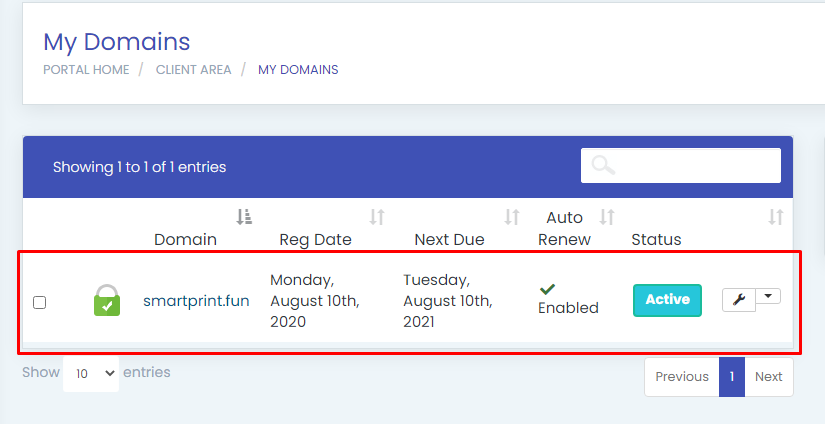
- Unlock the domain at your current registrar and obtain the EPP or authorization code, which is required to initiate a transfer.
- Start the transfer request at your new registrar using that authorization code.
- During the transfer setup, explicitly leave the nameservers as they currently are. Do not point them to the new registrar’s default nameservers yet.
- Approve the transfer confirmation email, which usually arrives at the domain’s registrant contact email address.
- Wait for the transfer to complete, typically 24 to 72 hours for most extensions, sometimes longer for select country specific extensions.
- Once the transfer is confirmed complete, verify email is still working by sending a test message to and from the business email address.
Only after confirming everything still works should you consider whether to also migrate hosting or change nameservers, and that should happen as a separate, deliberate step rather than bundled into the transfer itself.
What Happens If Nameservers Do Change Accidentally
If the nameservers do get changed during a transfer, email typically goes down until DNS fully propagates to the new settings, which can take anywhere from a few hours to 48 hours depending on various technical factors outside your direct control.
If this happens, the fastest fix is reverting the nameservers back to their previous, working configuration and waiting for propagation to catch up again.
A Safety Net Worth Considering
For domains with important business email attached, using a DNS management service that persists independently of the transfer itself adds an extra layer of protection. This way, even if something goes wrong during the registrar switch, your DNS records remain intact and email continues functioning.
HoganHost’s FreeDNS service is designed to keep DNS records protected during domain transitions like this, giving domain owners one less thing to worry about during a registrar switch.
Making the Switch to HoganHost
If you are transferring a domain specifically to consolidate hosting, email, and domain management under one provider, HoganHost’s domain transfer service walks through the process with support available if anything looks off during the transition.
A domain transfer should be a quiet, uneventful process. Keeping the nameservers untouched until everything is confirmed working is the single detail that makes the difference between a smooth switch and days of missed business emails.